logo website
  • Home
  • Features
  • Templates
  • Pricing
  • Docs
  • Install App
Menu
  • Home
  • Features
  • Templates
  • Pricing
  • Docs
  • Install App

Getting Started

1
  • Introduction

Quick Start

1
  • Create a new form

Display & Placement

5
  • Theme integration
  • Get embed form ID of a form
  • Display a form on Shopify front store
  • Display a form on a specific page
  • Add a form with app block

App Integration

2
  • Google reCAPTCHA Integration
  • hCaptcha integration

Mail Notification

4
  • Admin email notification
  • Customer email notification
  • SMTP Setup
  • Mail API setup

Data, Insights & Management

5
  • Check submissions data
  • View Insight of the Form
  • Export submissions data
  • Export and import forms
  • Disable saving submission data for forms
View Categories

Theme integration

1 min read

Integrating the Form Builder app with your Shopify theme allows you to display forms directly on your storefront. Follow these simple steps to set it up:​

Enable App Embeds in Your Theme #

To show the form on the front store, firstly please make sure that the app embeds is enabled on your theme.

Learn more about App embeds

Steps:

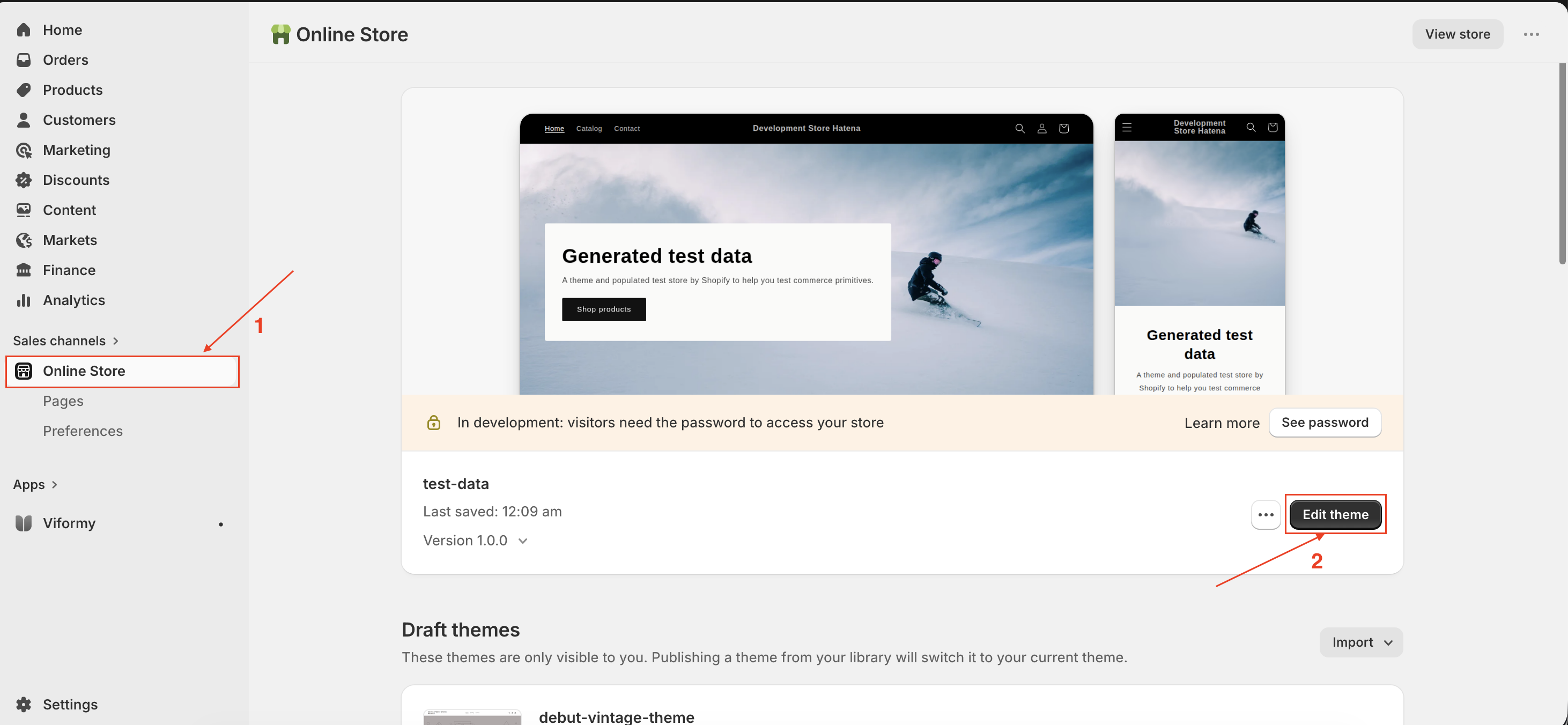
  1. Go to Shopify -> click Online stores -> Themes.
  2. Find the theme you want to the app to work on -> click Edit theme button -> it opens the theme editor.Screenshot 2026 05 26 at 22.45.30
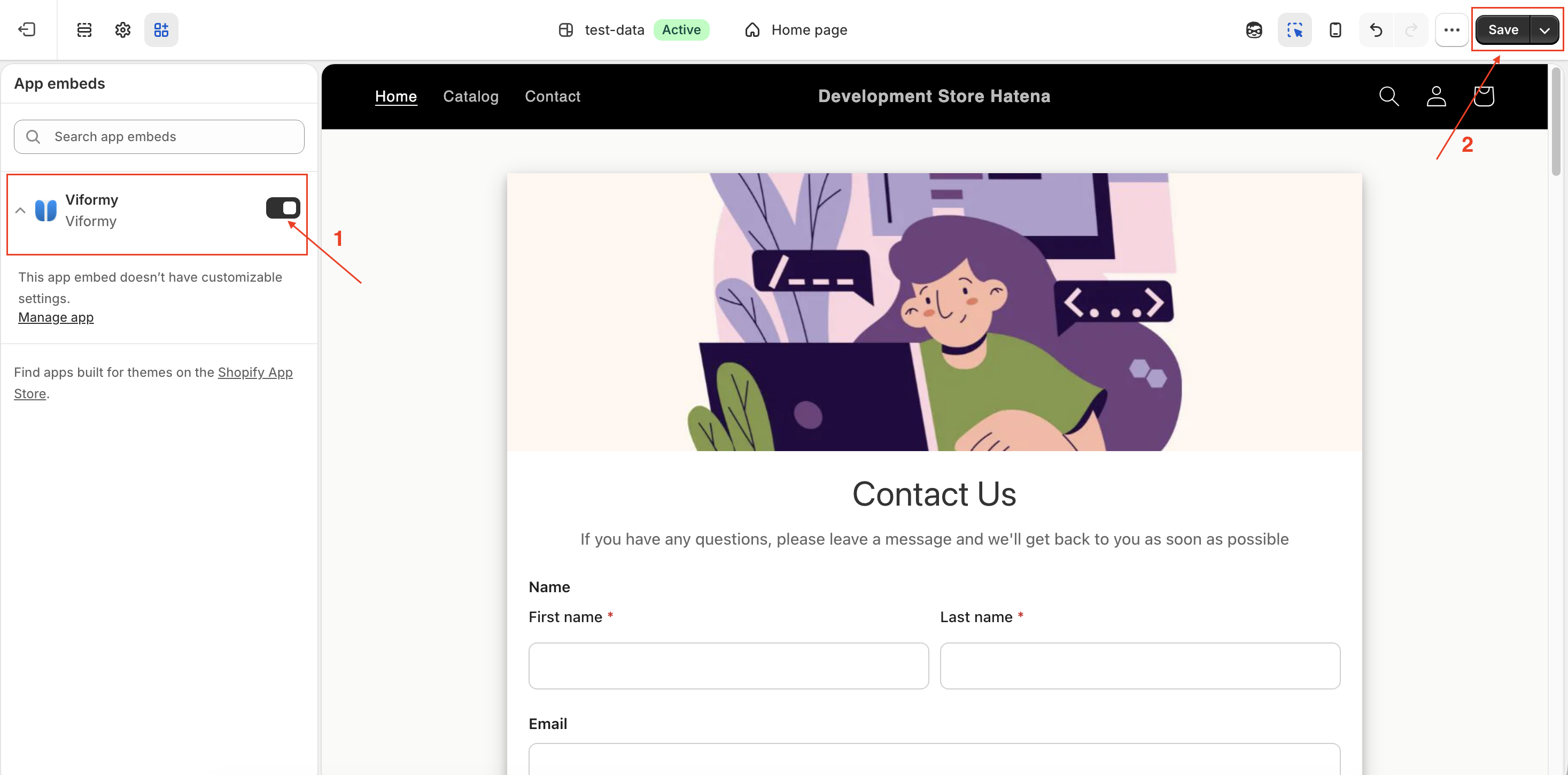
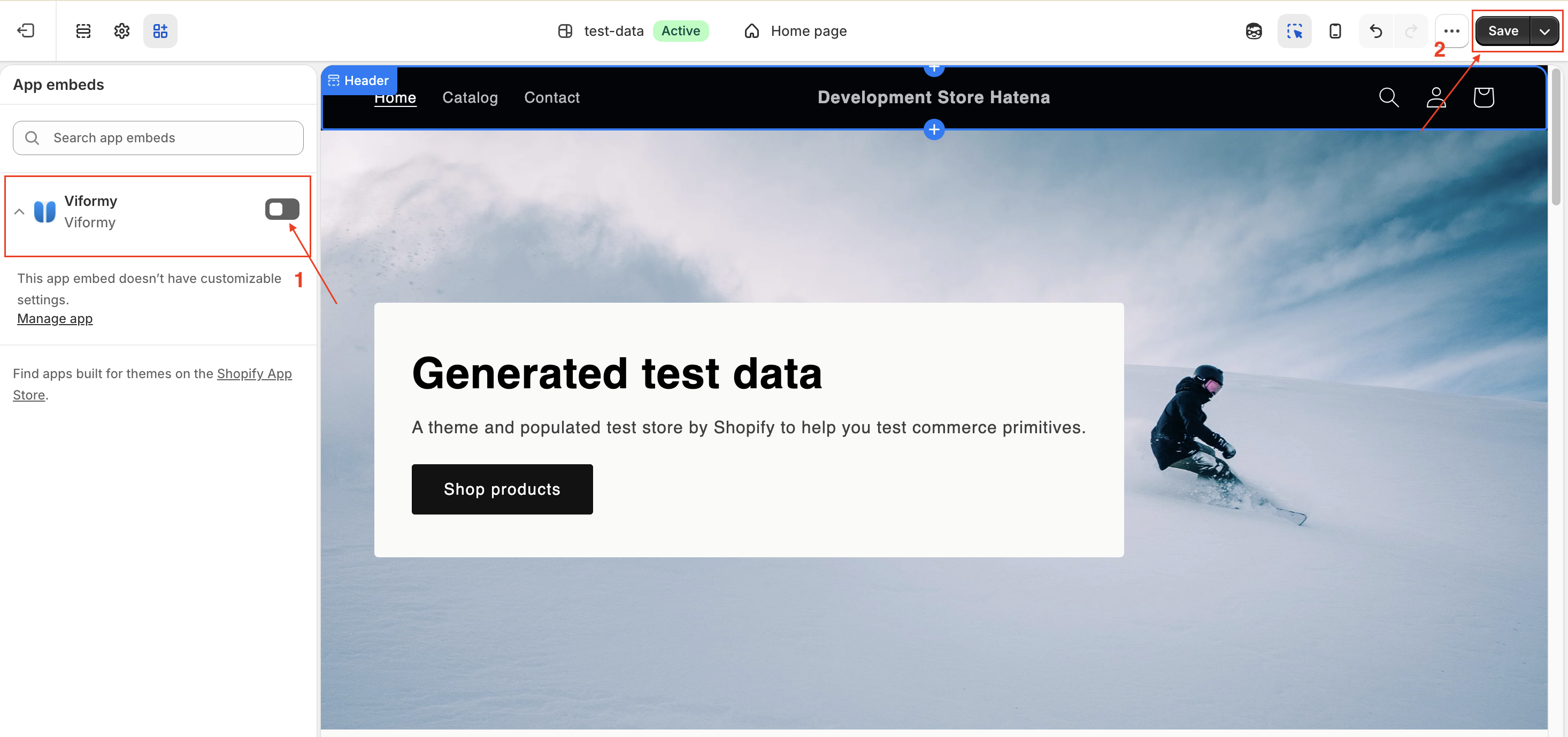
  3. On the sidebar, click the App embeds icon -> Select the app embed of Viformy app -> click the toggle to activate it.Screenshot 2026 05 26 at 22.50.49
  4. Click Save to update the change in the theme editor.
  5. Preview your store to view the embedded app live.

Note: If you want to be safe, first test the form integration on a duplicate or unpublished theme — especially if your store is live. This helps avoid disrupting live visitors.

How to Disable (Uninstall) the App from a Theme #

To uninstall the app from the theme, you just need to disable the app embeds on you theme.

Steps:
  1. From then Shopify admin page, click Online stores -> Themes.
  2. Find the theme you want to the app to work on -> click Edit theme button -> it opens the theme editor.
  3. Click the App embeds icon > elect the app embed of Viformy app or click the Search bar and enter a search term to search (Form Builder) through your installed apps.
  4. Beside the app embed that you want to activate, click the toggle to deactivate it.
  5. Click Save.Screenshot 2026 05 26 at 22.57.18
Updated on May 26, 2026

What are your Feelings

  • Happy
  • Normal
  • Sad

Share This Article :

  • Facebook
  • X
  • LinkedIn
  • Pinterest
Add a form with app blockGet embed form ID of a form
ON THIS PAGE
  • Enable App Embeds in Your Theme
  • How to Disable (Uninstall) the App from a Theme

The most powerful and flexible form building solution for Shopify merchants.

Product

  • Features
  • Integrations
  • Pricing

Support

  • Documentation
  • Help Center
  • API Reference

Legal

  • Privacy Policy
  • Terms of Service