
How to Export and Import Forms in Viformy #
Before You Start #
-
You need at least one existing form to export.
-
Only .json files exported from Viformy should be imported.
-
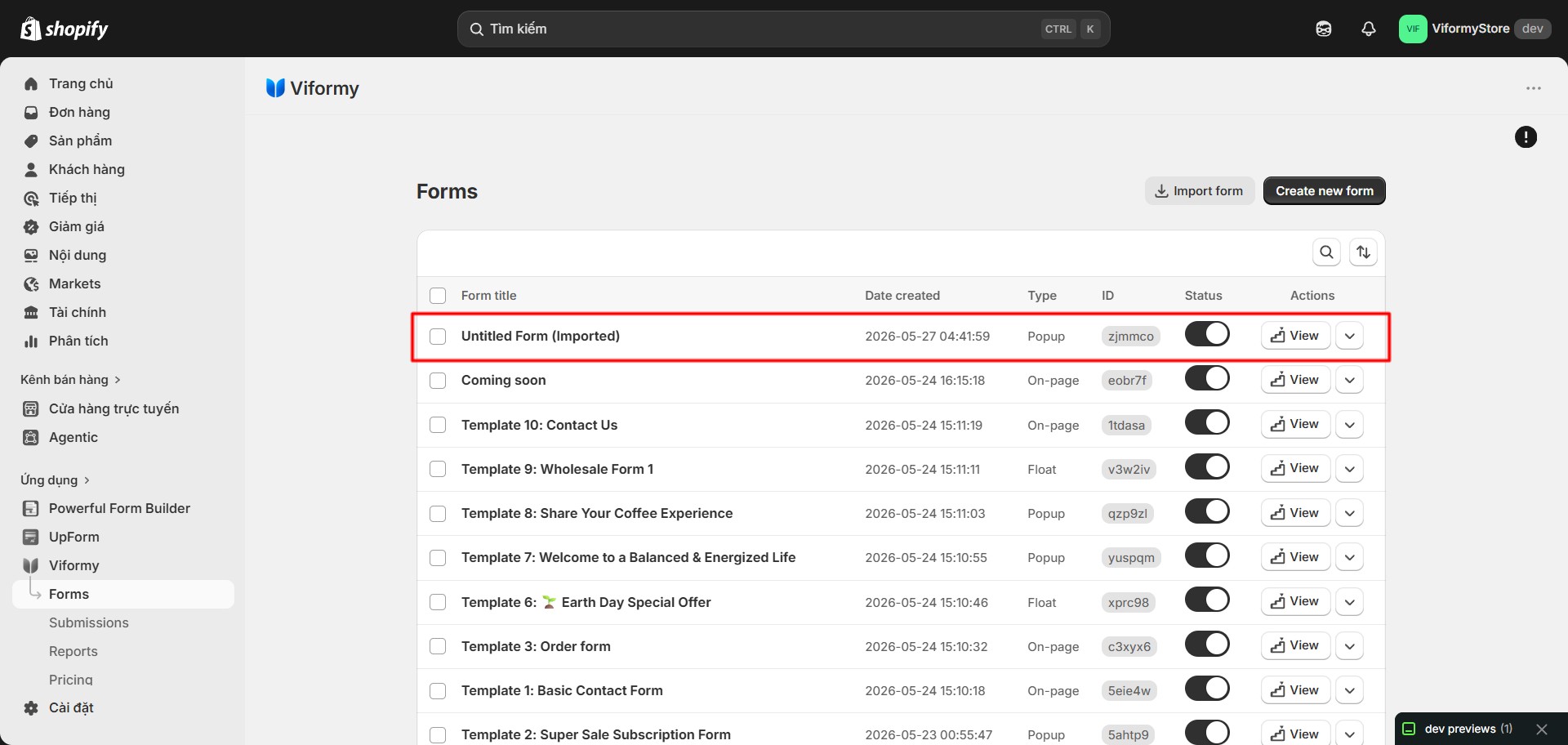
Imported forms receive a new form ID and unique ID, so they do not overwrite existing forms.
Step 1: Open the Forms Page #
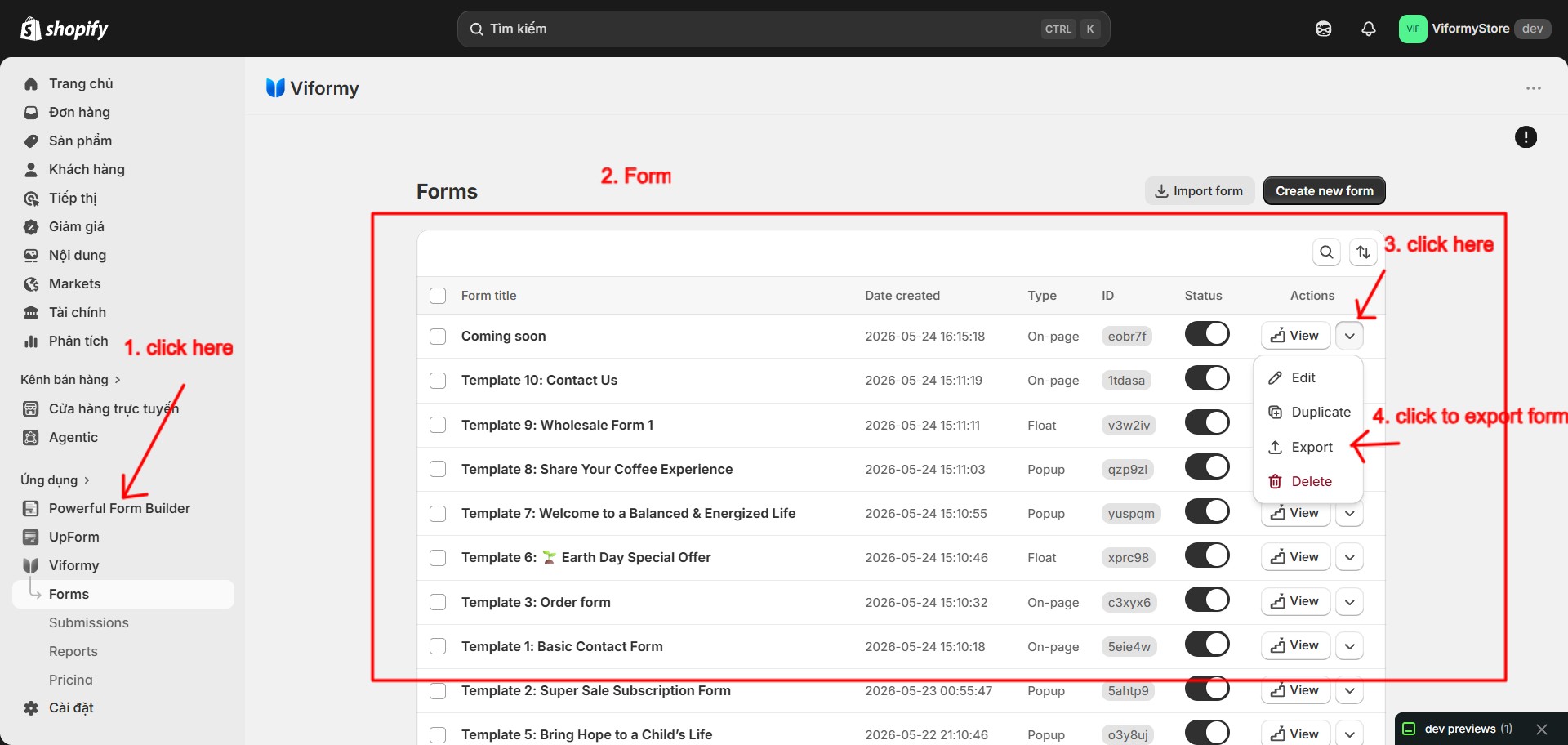
Step 2: Export a Form #
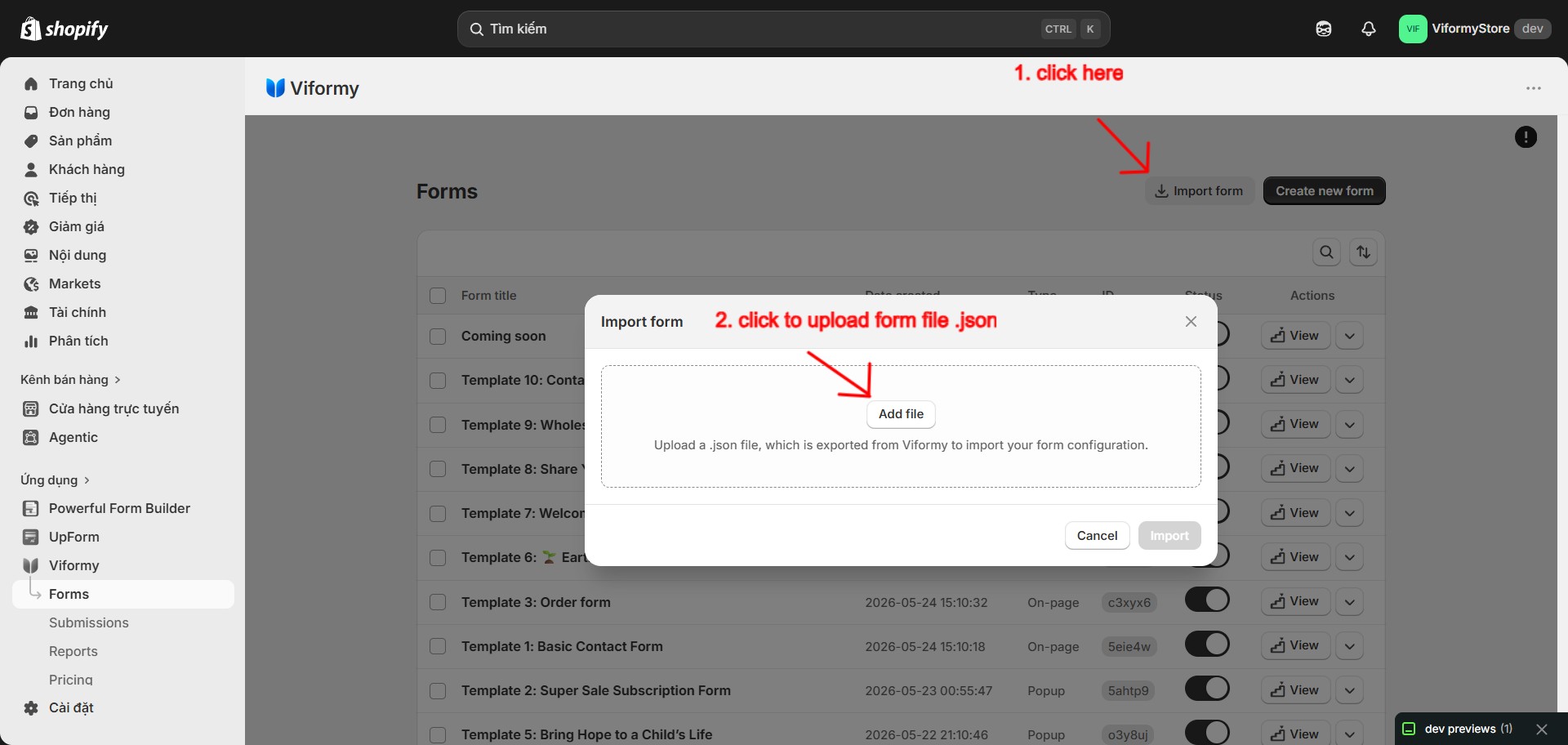
Contact Us.jsonStep 3: Import a Form #
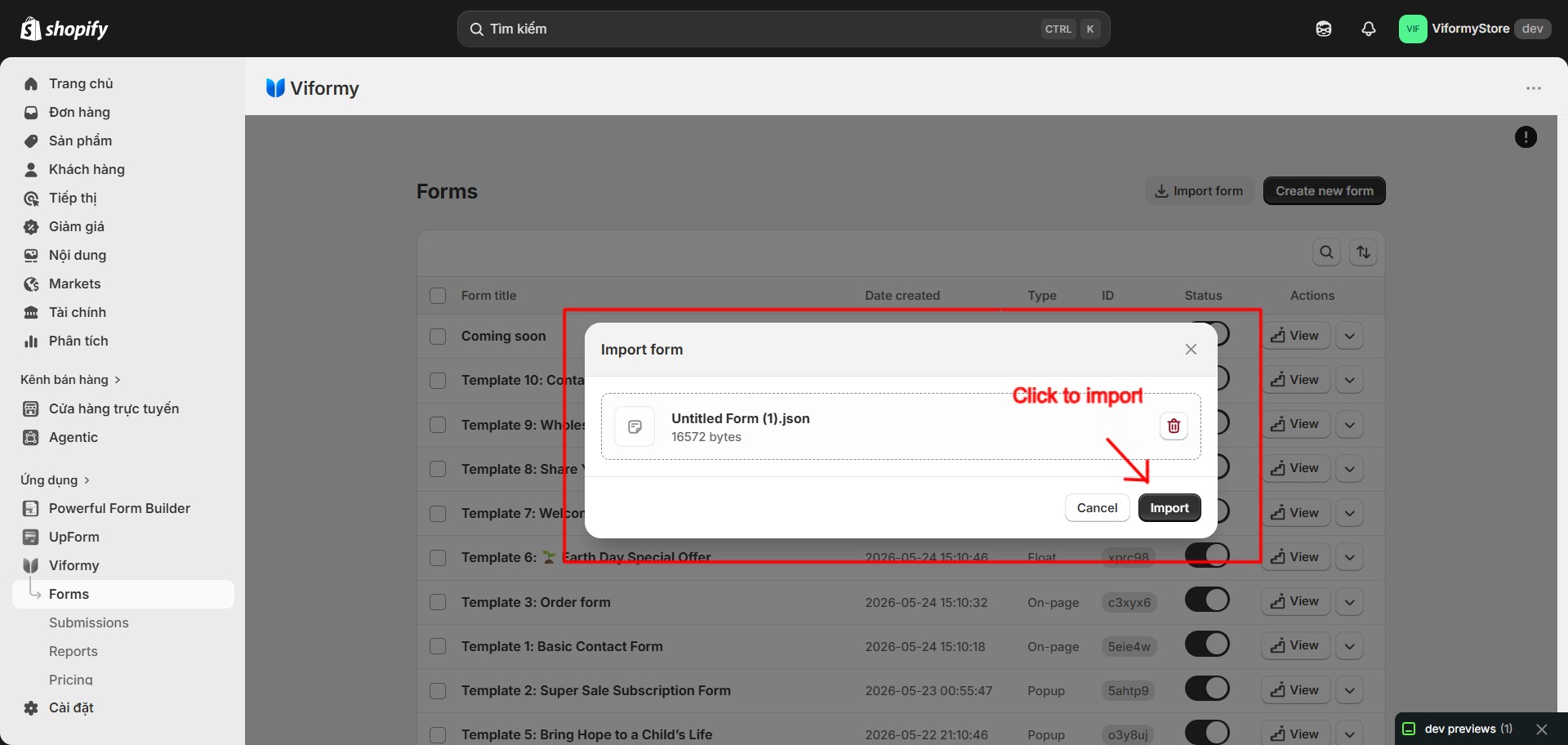
(Imported)Contact Us (Imported)
Common Cases #
Invalid JSON file
No file content
Form not found
Quick Workflow #
-
Open Forms.
-
Use the form action menu and click Export to download a .json file.
-
Click Import form.
-
Upload the exported .json file.
-
Click Import to create a new active form.