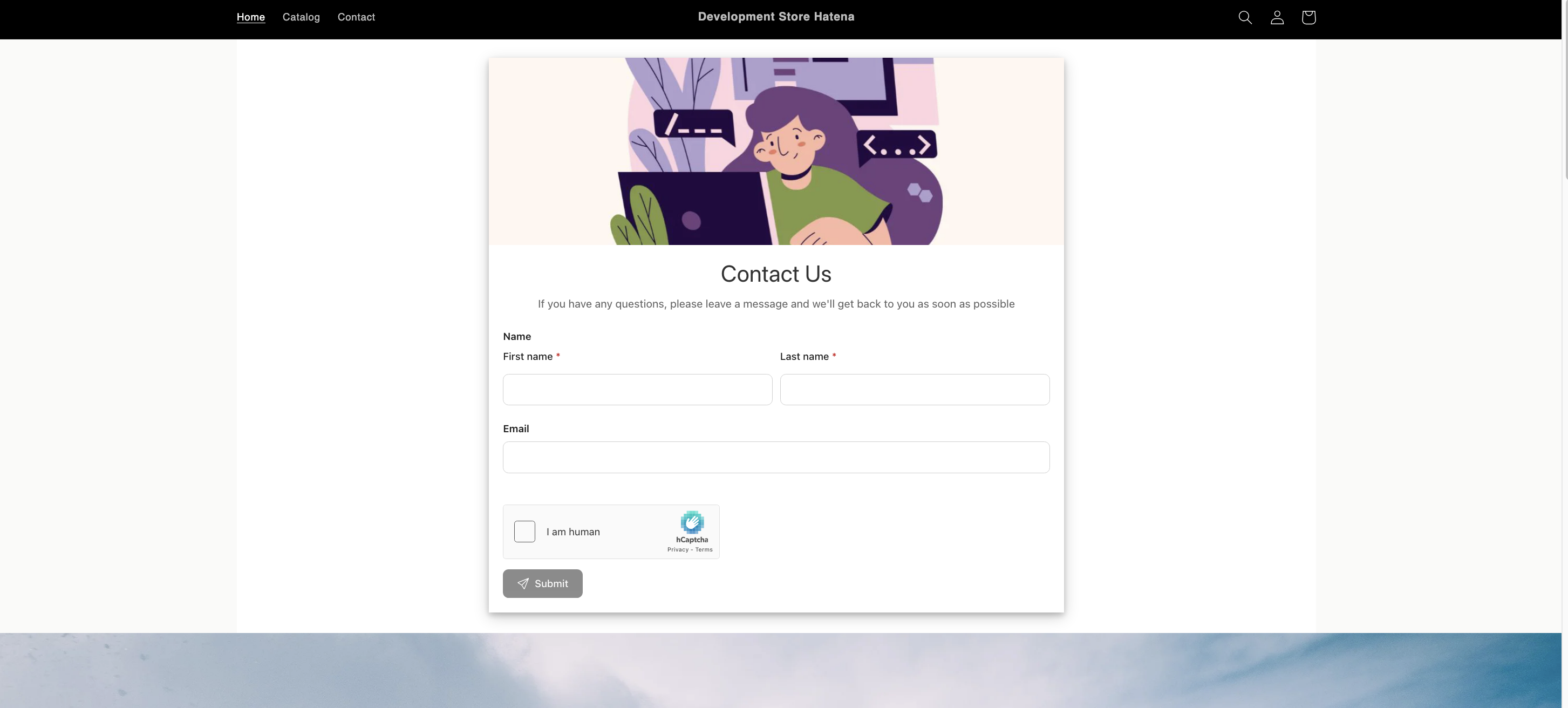
This option is useful when your theme or page layout has been customized and you need full control over the exact placement of the form.
Step 1: Copy the Form ID #
How to obtain form ID (read more here): https://viformy.com/docs/get-embed-form-id-of-a-form/
Step 2: Add the Form as an App Block #
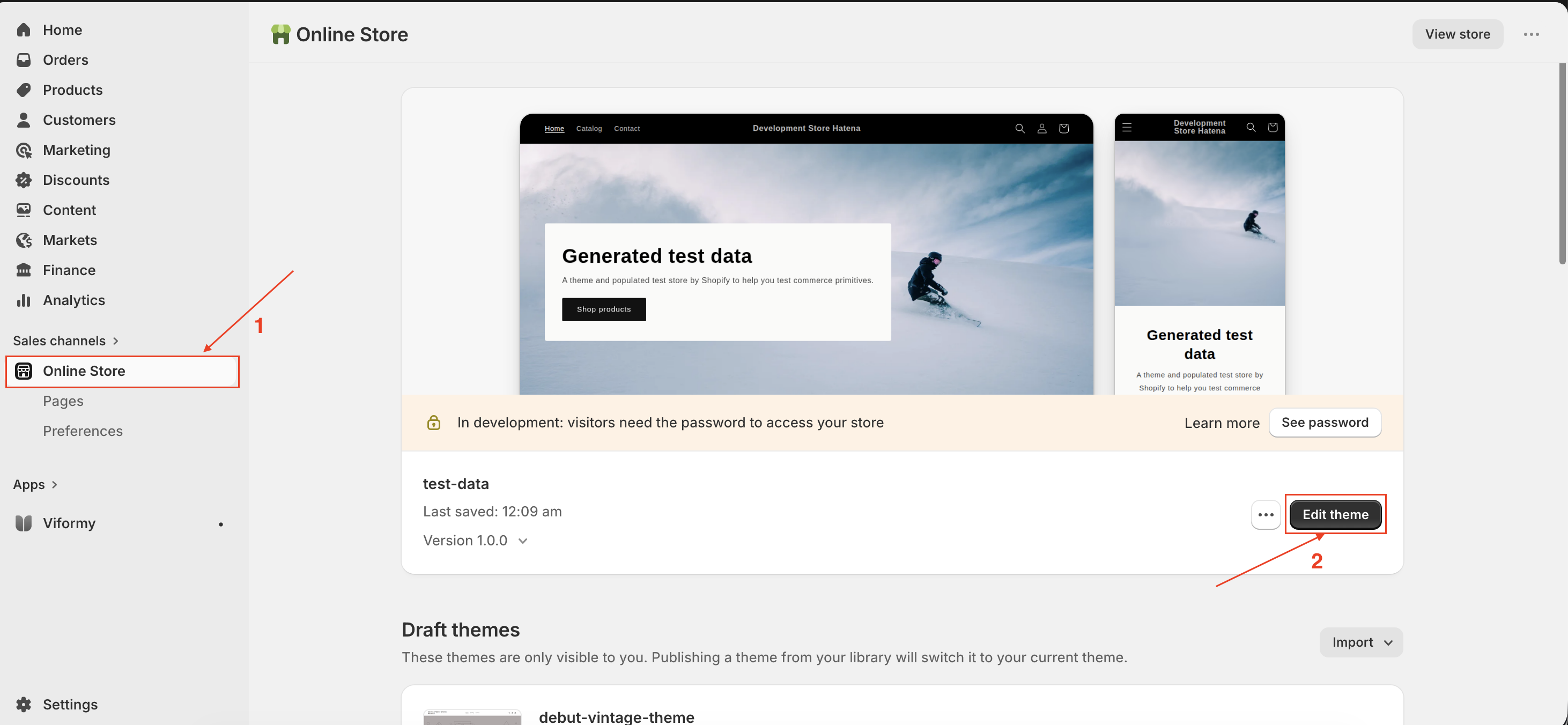
- From the Shopify admin page, click Online store -> click Edit theme to go to the theme you want
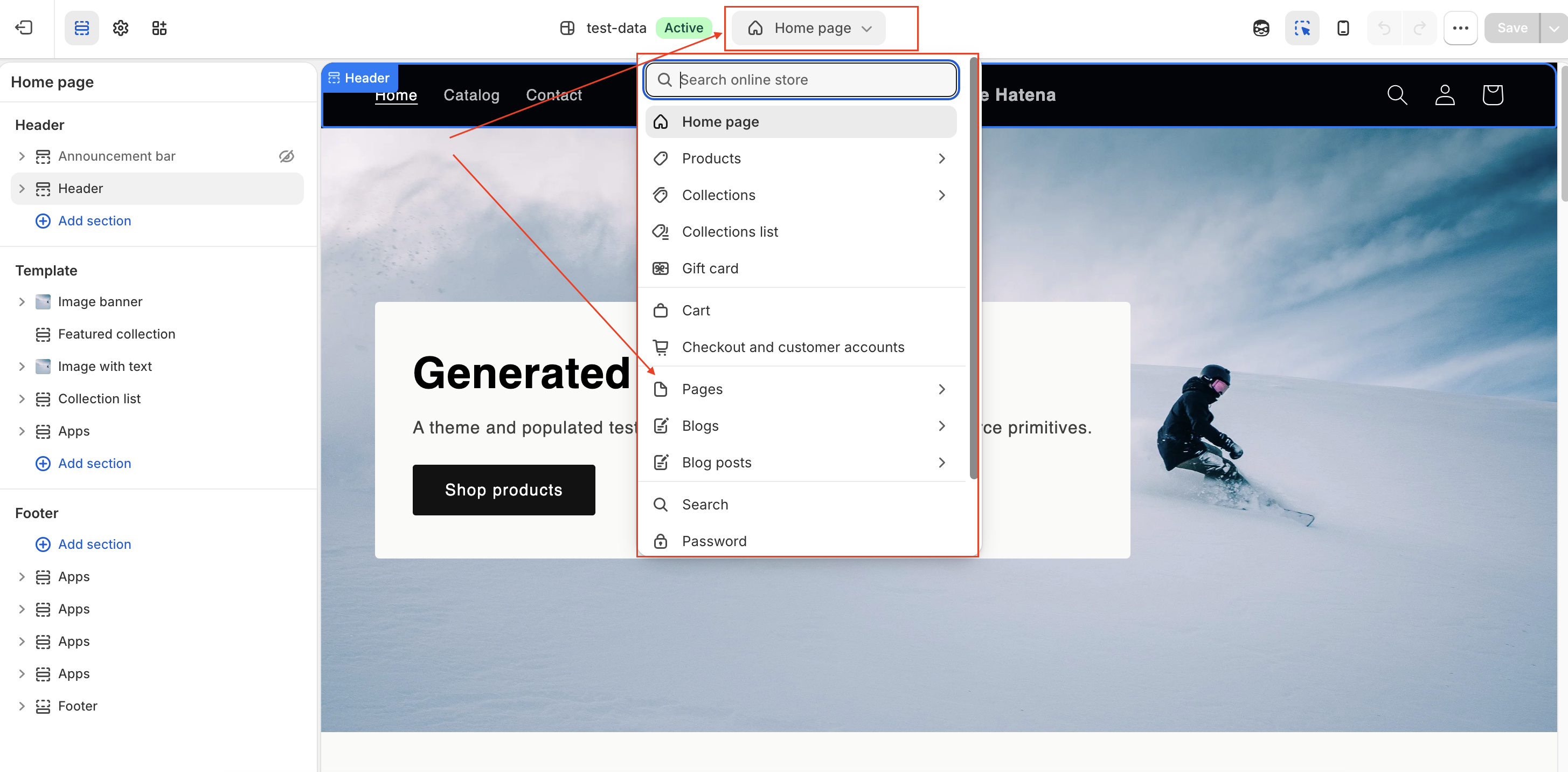
- In theme editor -> open the page template you want
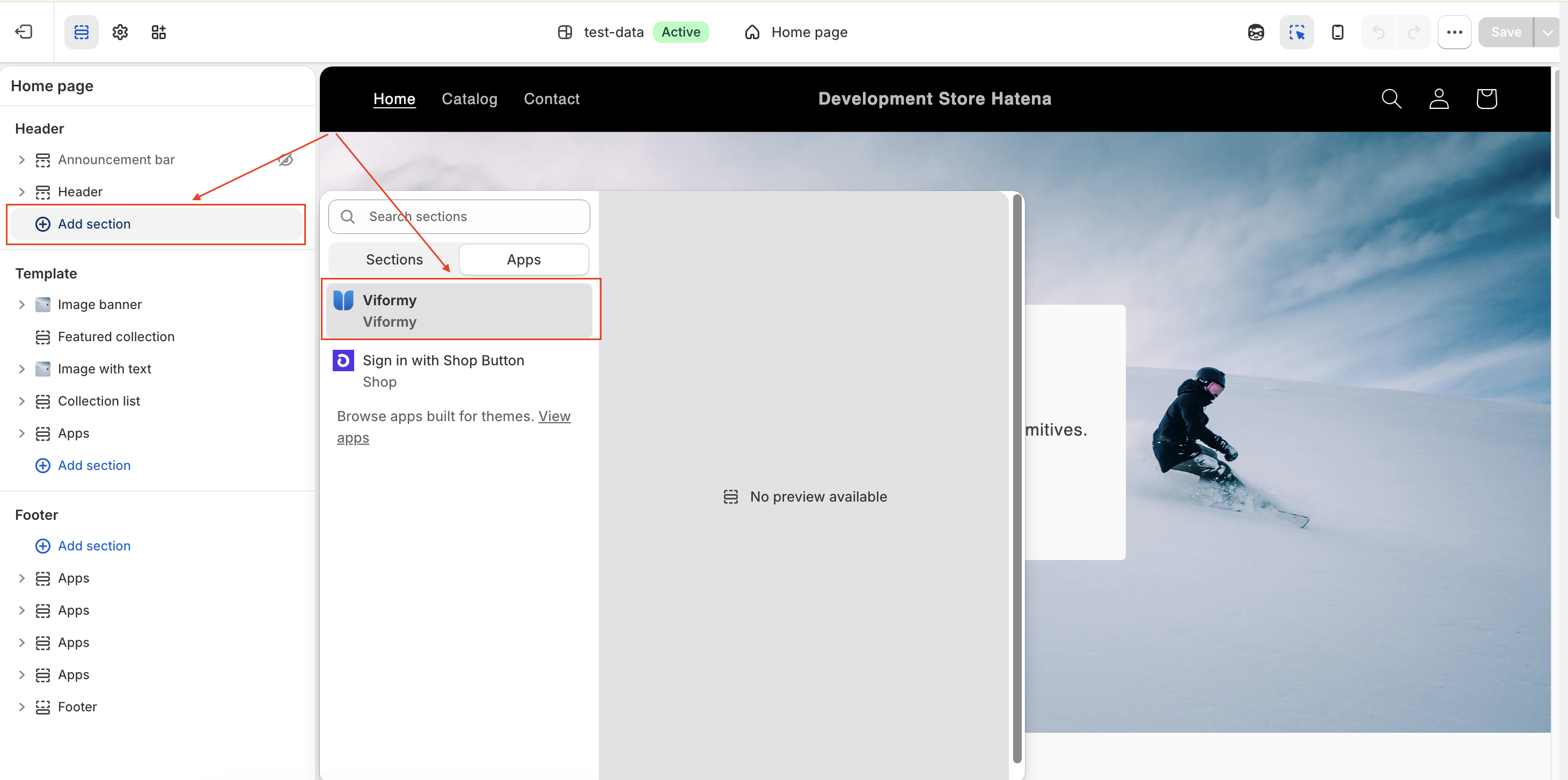
- Click Add section -> add Form app section
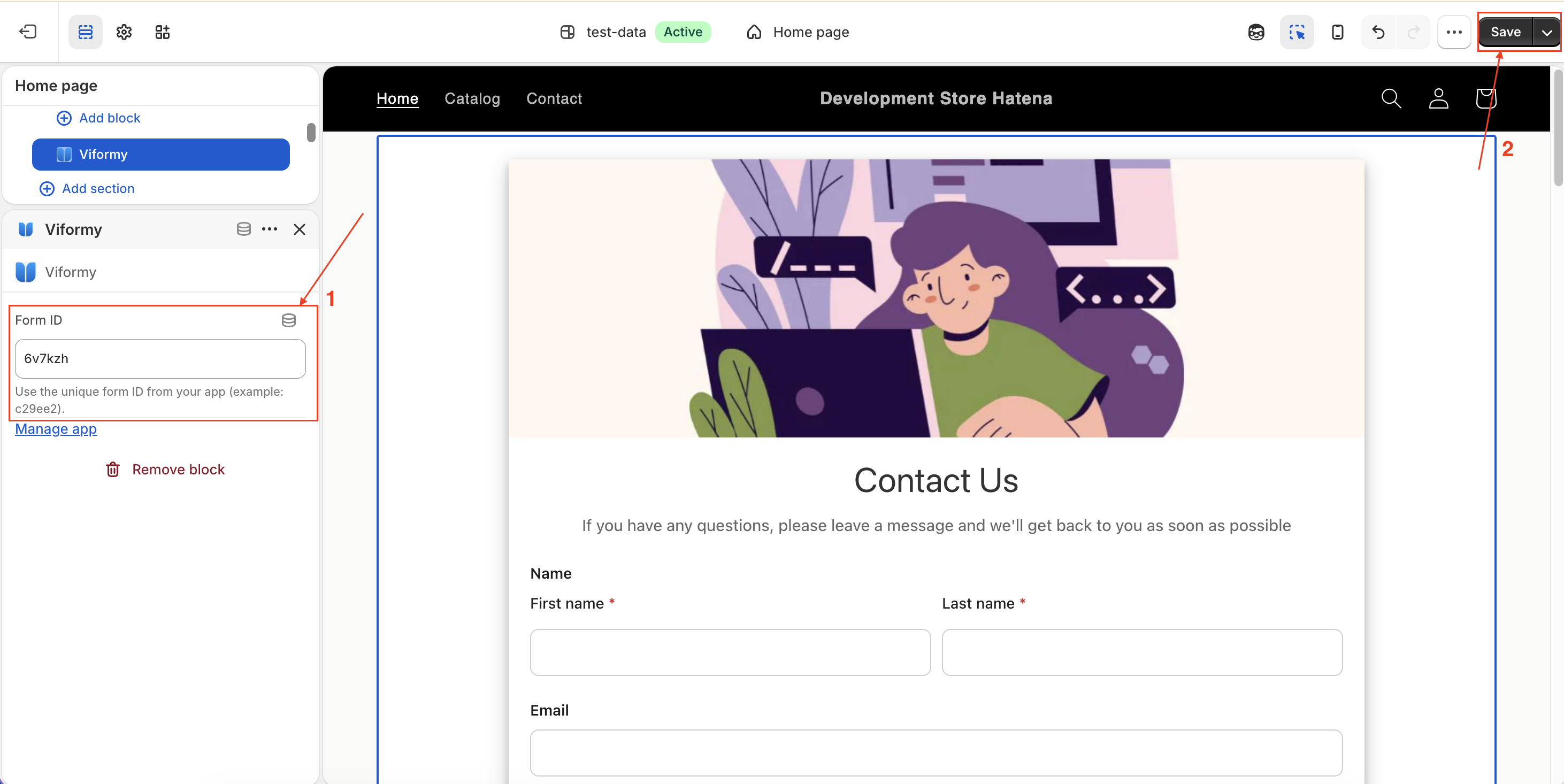
- In the app section -> paste the form form ID here -> Click Save to apply changes
Step 3: Preview and Check the Live Store #
After saving, open the live version of the page (front store) to verify that the form appears correctly in the intended position.