
How to Disable Saving Submission Data for a Form in Viformy #
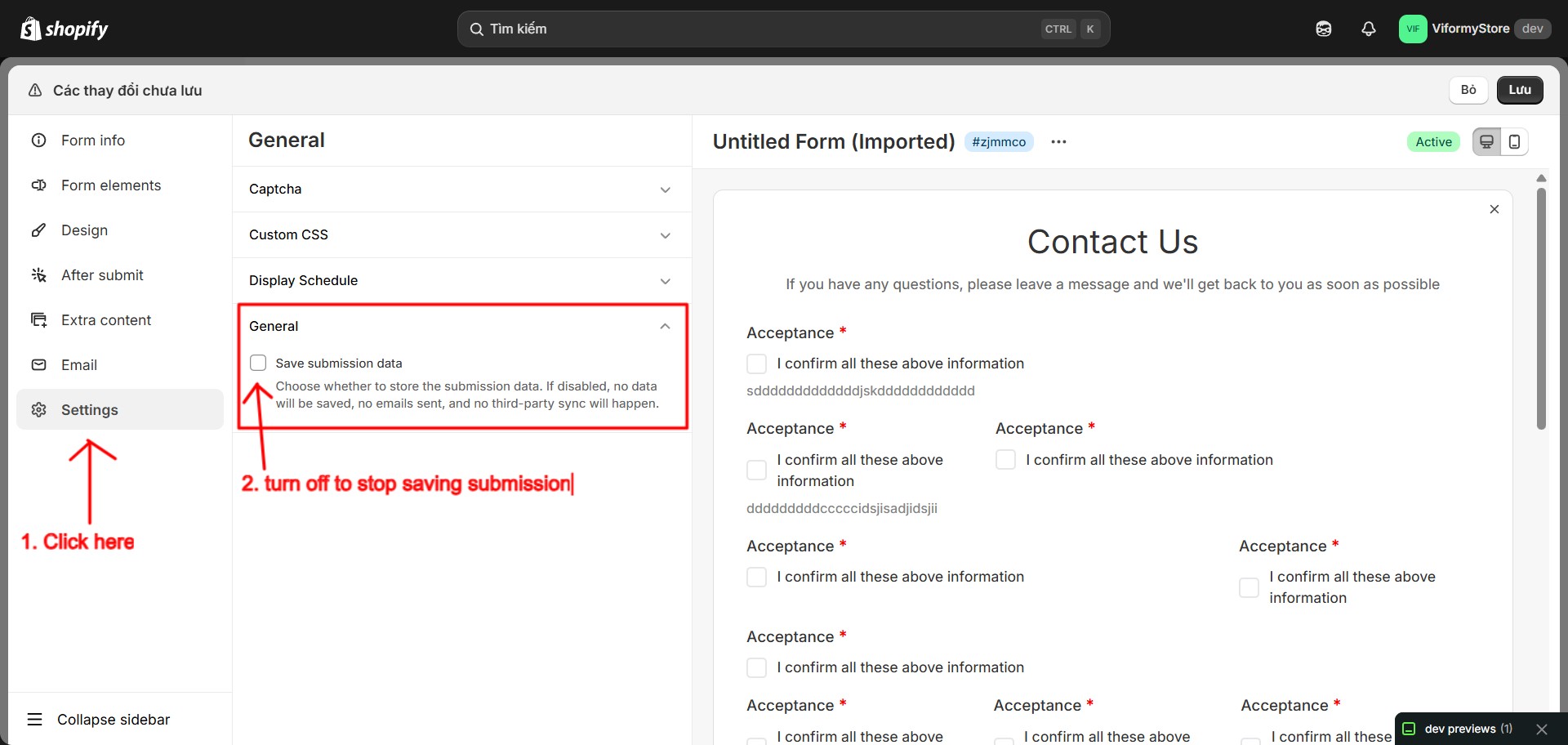
What Happens When This Is Disabled #
-
Submission data is not saved.
-
The submission will not appear in the Submissions page.
-
Admin notification and customer auto-response emails are not sent.
-
Third-party sync will not happen.
Step 1: Open the Form Builder #
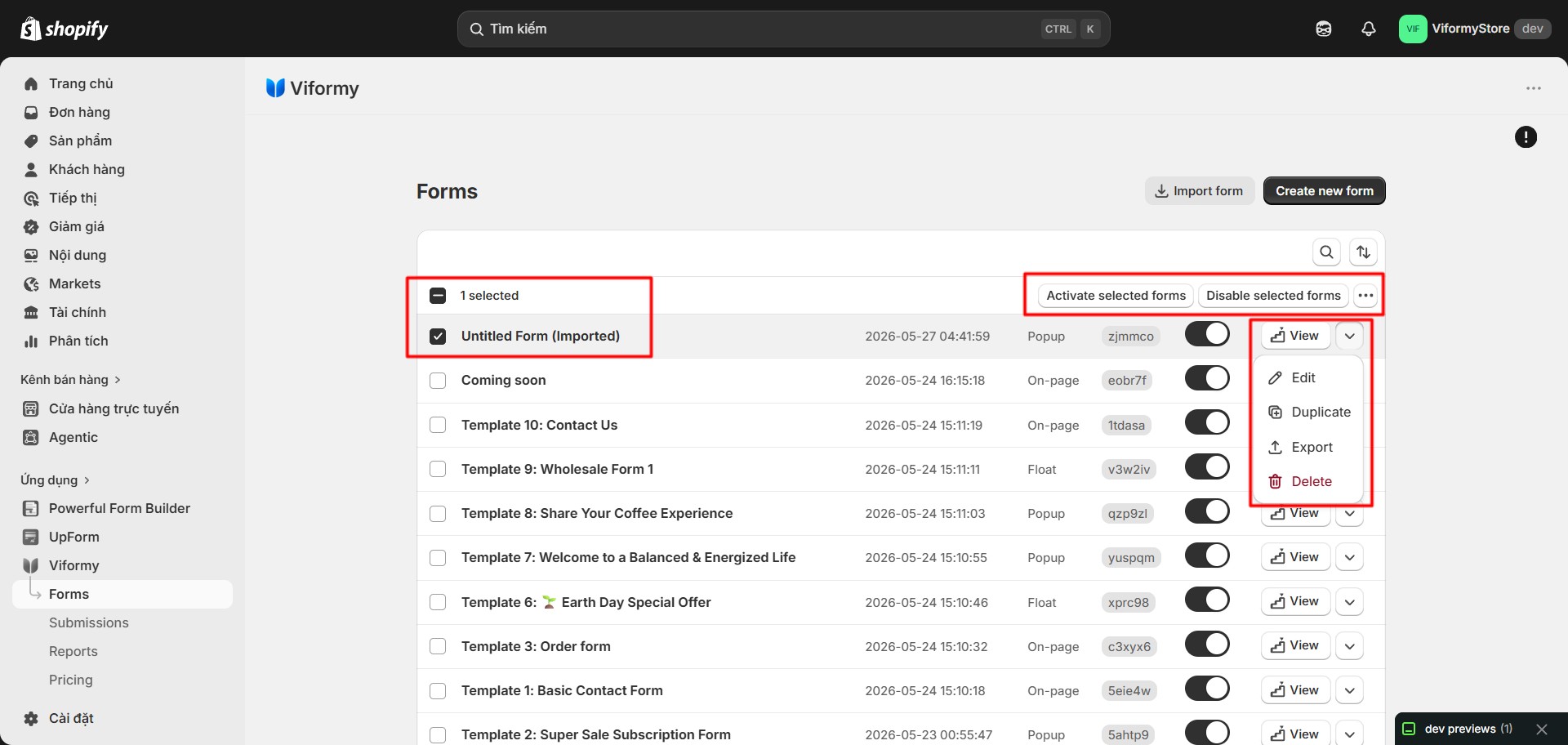
Step 2: Turn Off Save Submission Data #
Step 3: Save the Form #
How to Enable It Again #
Common Questions #
Will old submissions be deleted?
Will emails still be sent?
Will the customer still see the success message?