What You Need Before You Start #
-
Site Key
-
Secret Key
Step 1: Get Your hCaptcha Site key and Secret Key #
-
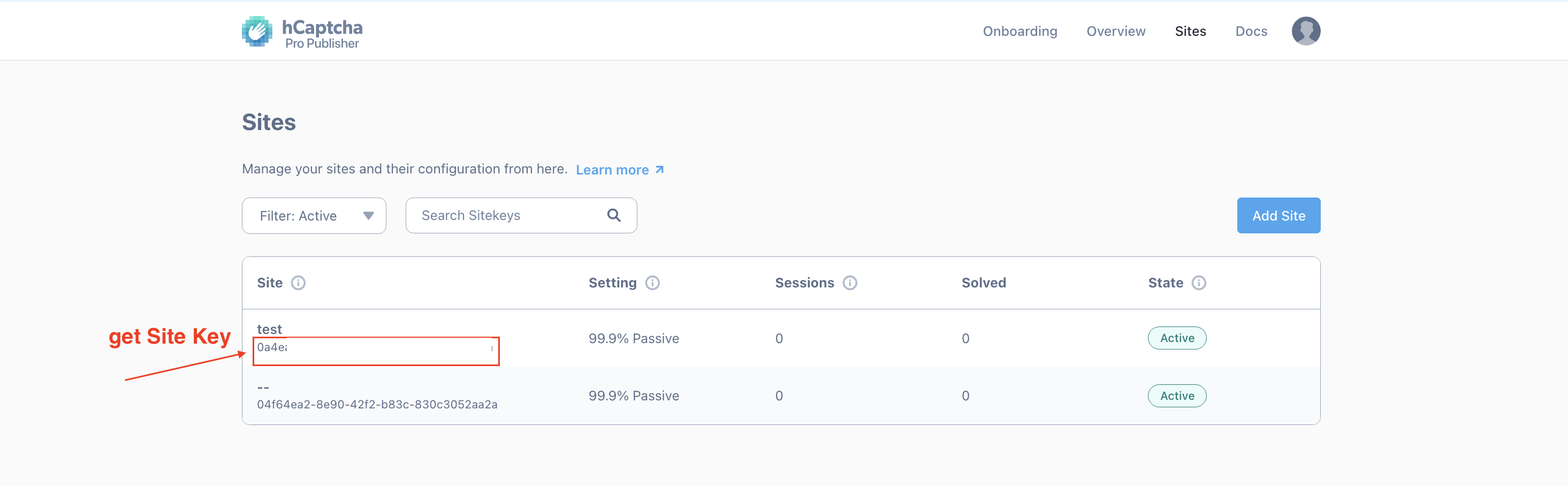
- Go to the Sites tab in the dashboard and create a new sitekey
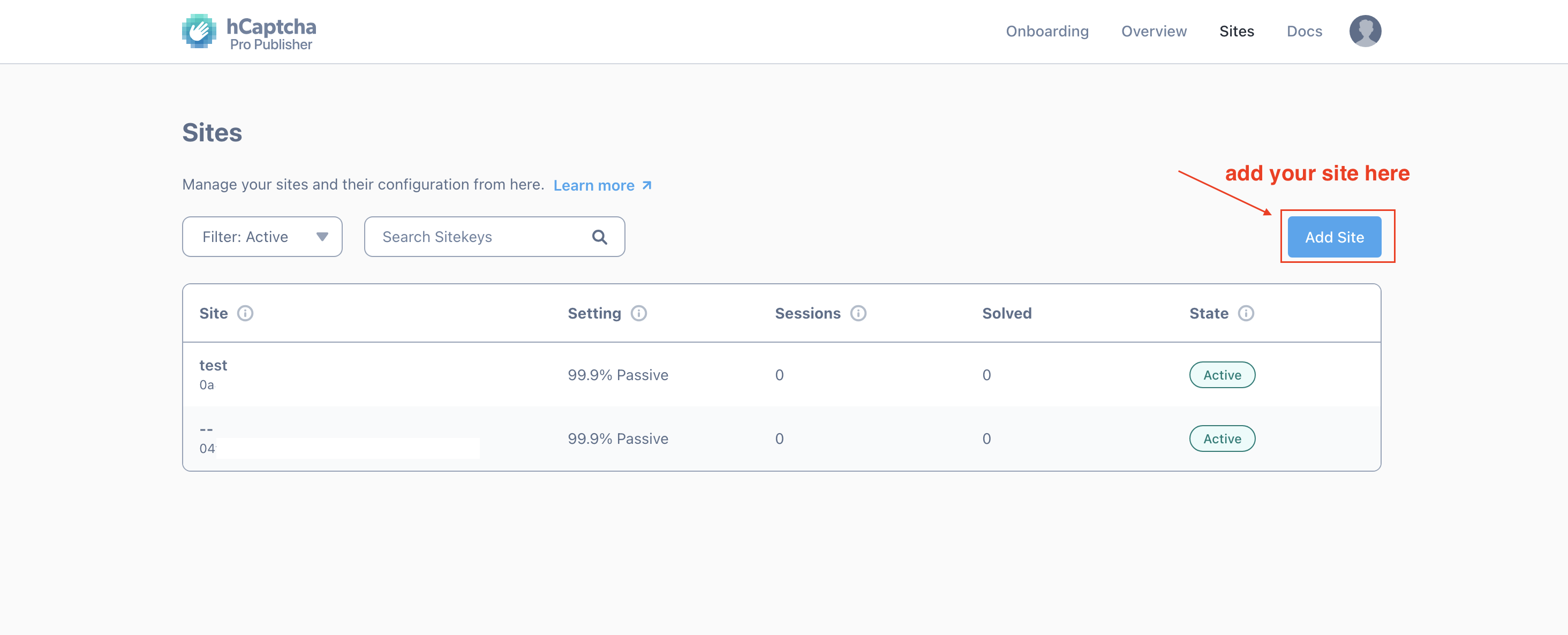
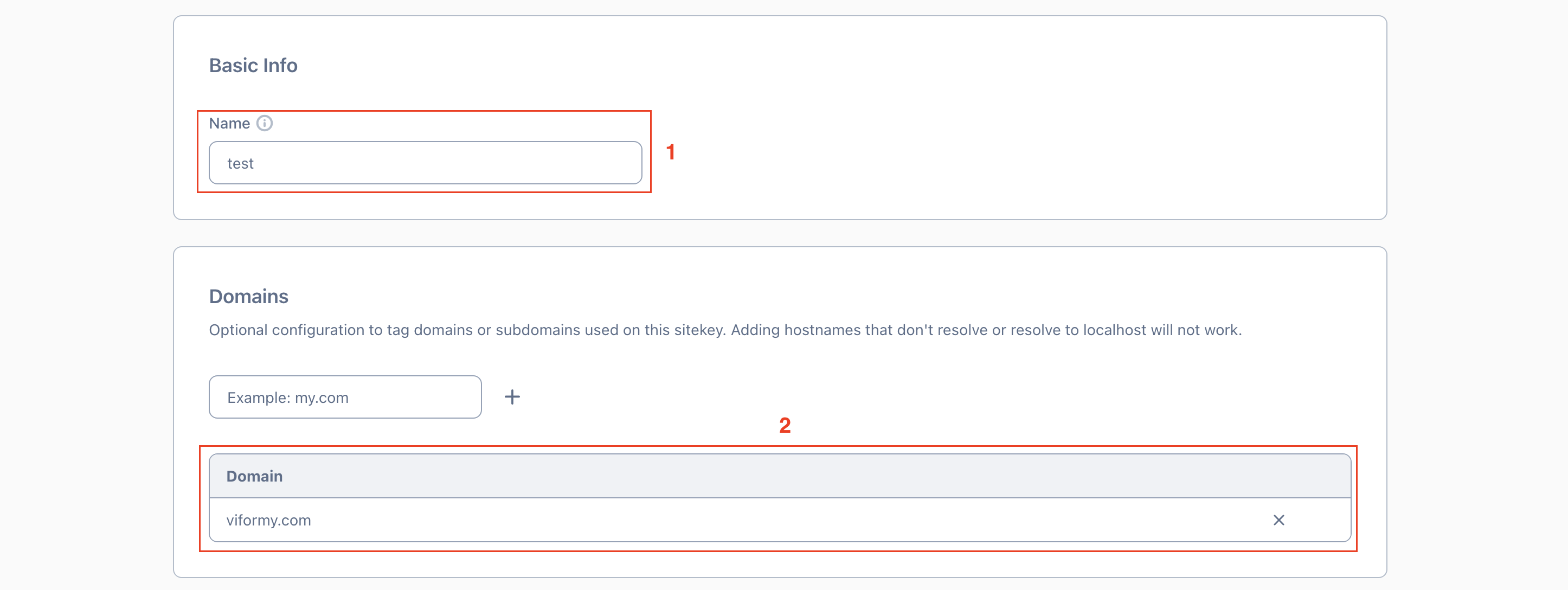
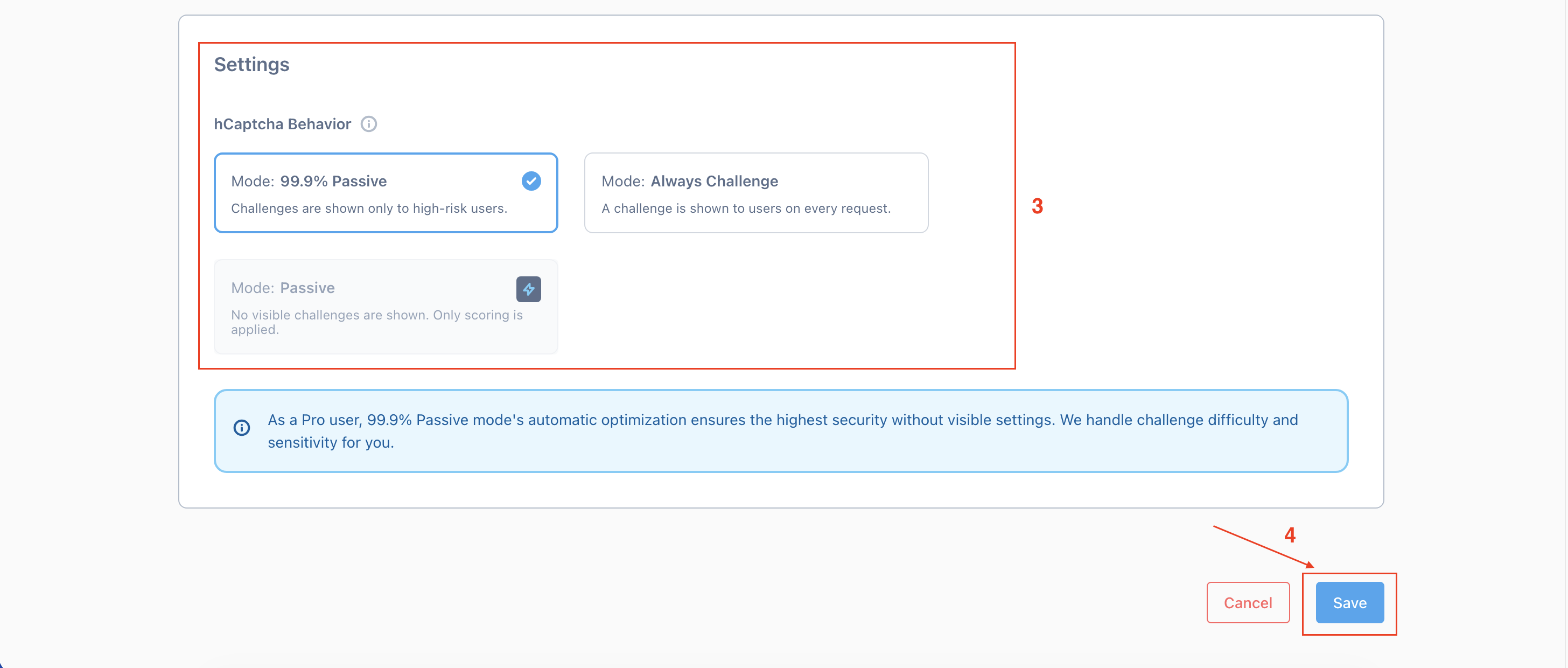
- Get Site Key and Secret Key
- Get Site Key
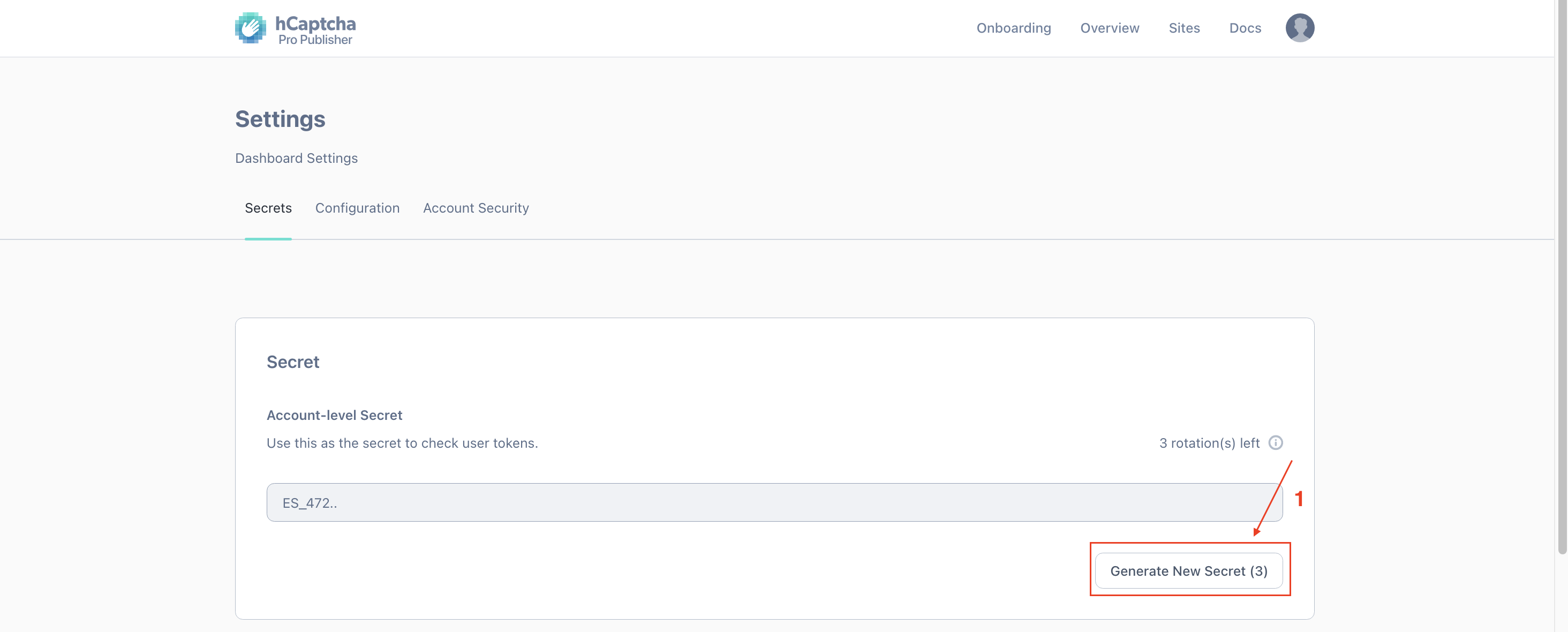
- Get Secret Key
Go to the Settings tab in the dashboard and generate your secret key by clicking Generate New Secret
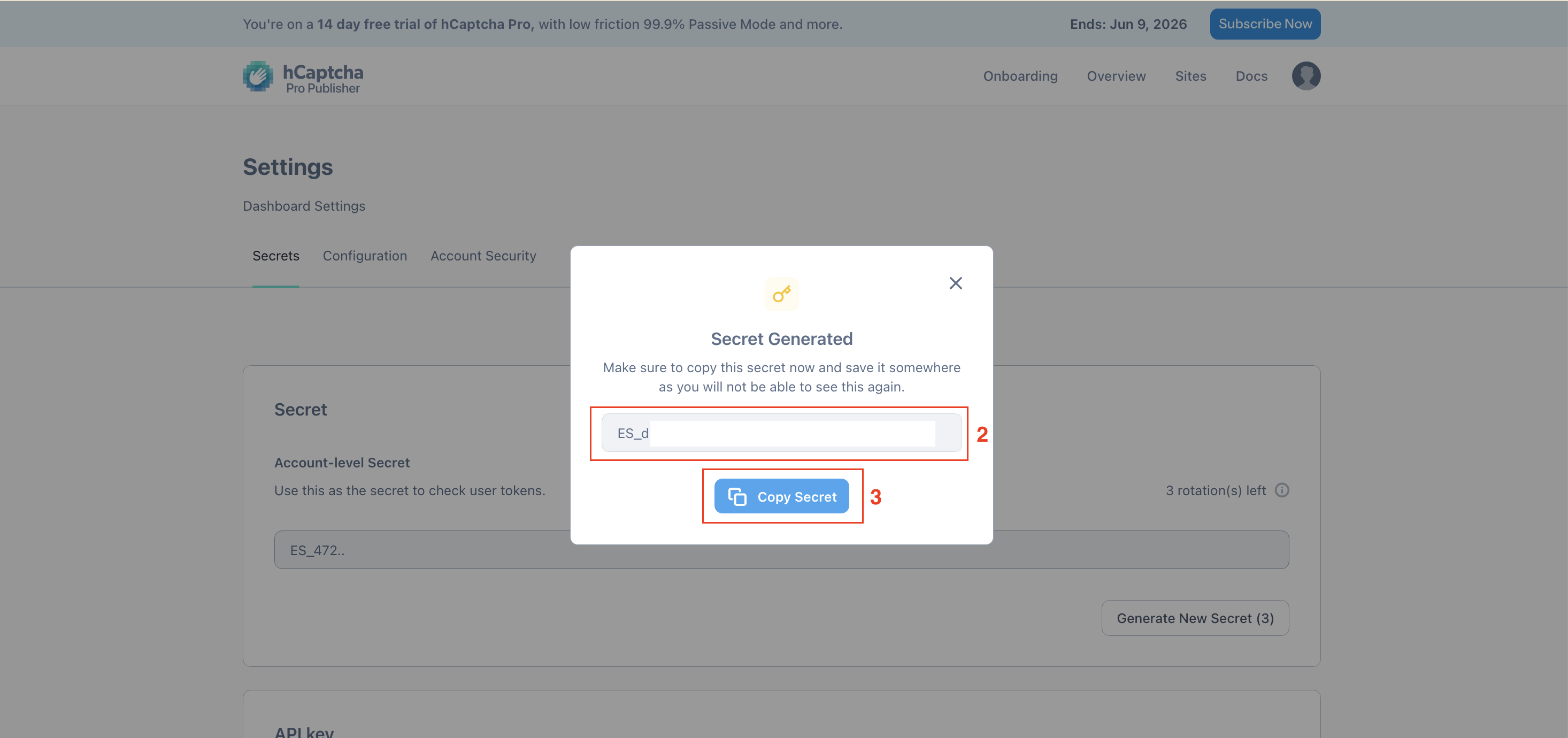
- Get Site Key
Step 2: Add the Keys to Viformy Form Builder #
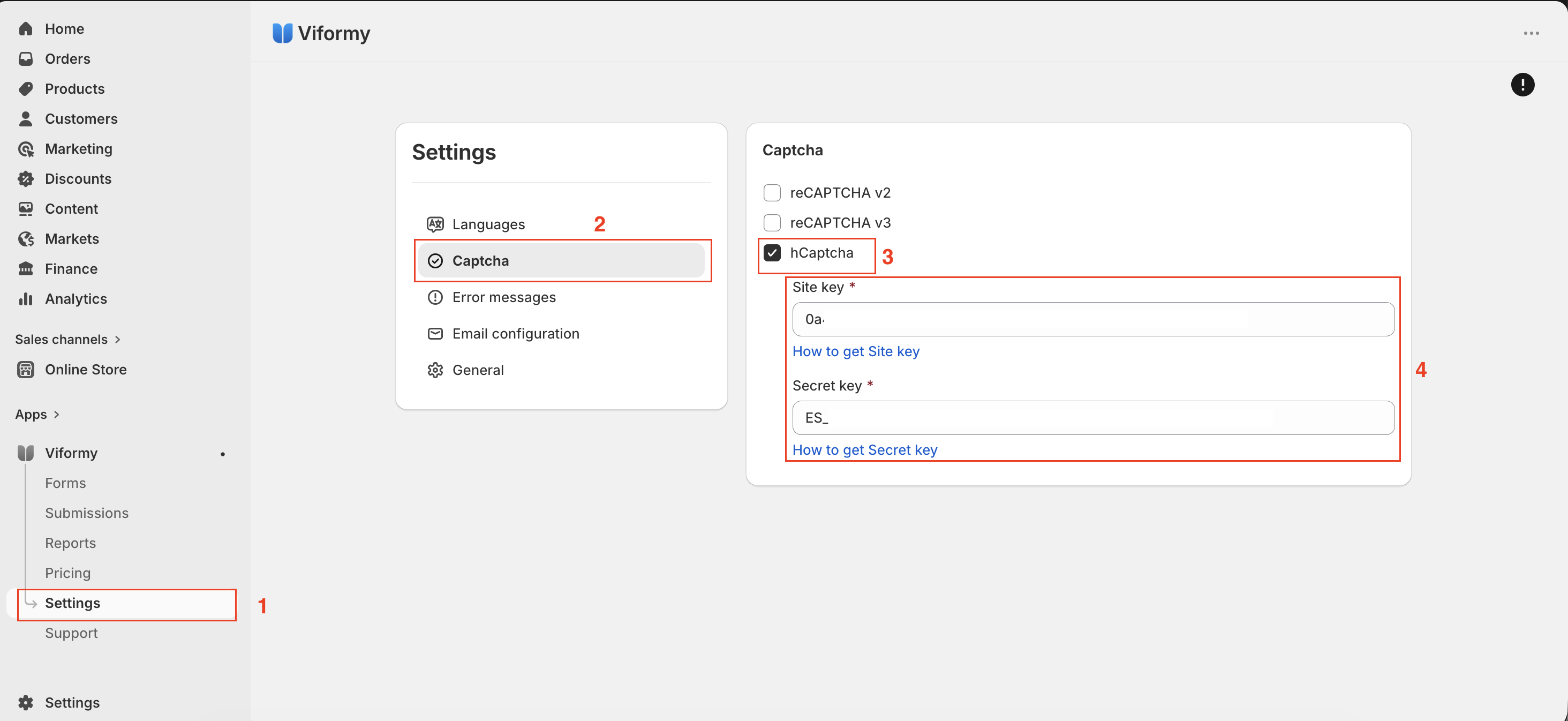
- Open the app -> click Settings
- Select Captcha
- Select reCaptcha type: hCaptcha
- Enter Site key and Secret key you get in step 1 above
- Click Save and save the app Settings
Step 3: Enable hcaptcha for the form #
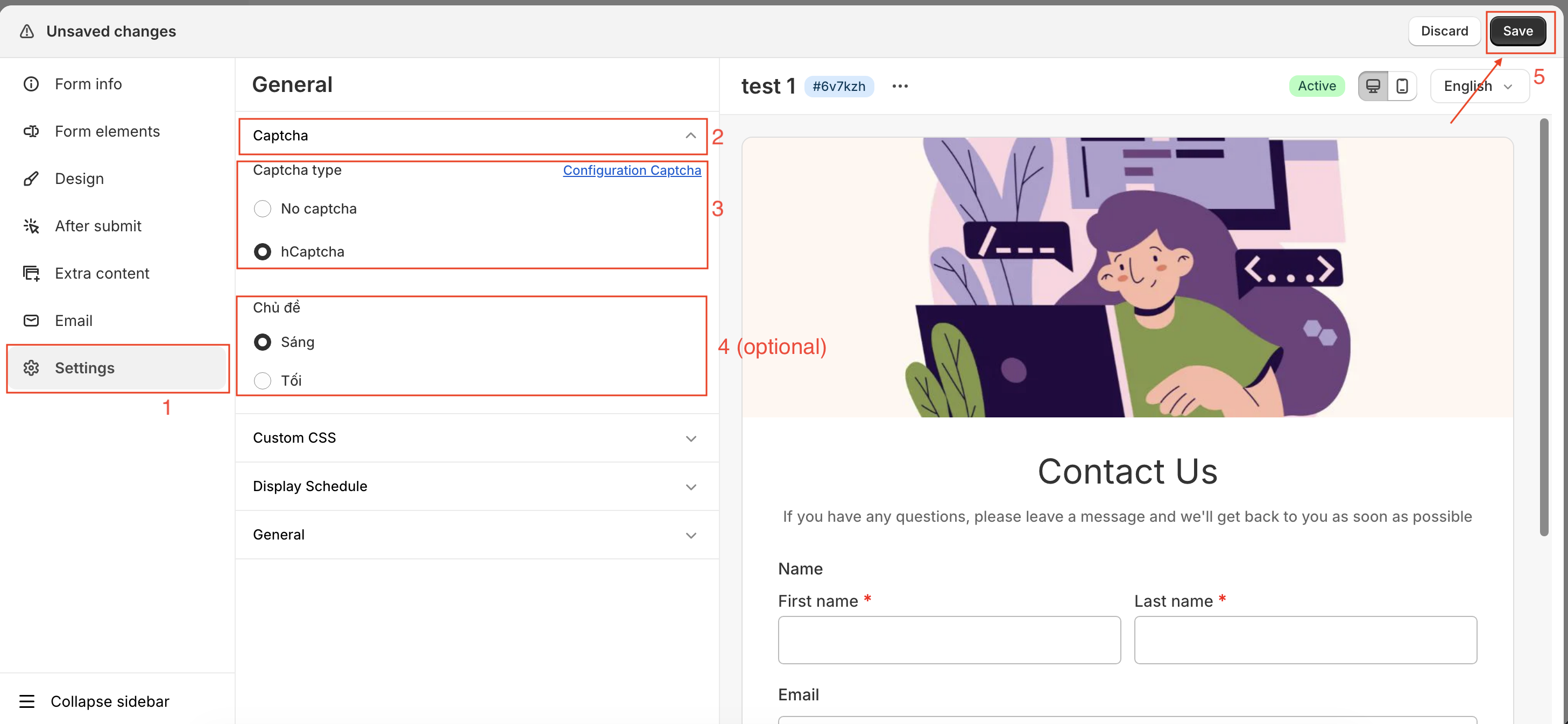
- Open the app > click Forms > open the form you want to edit
- Select Settings -> Captcha -> Captcha type (enable hCaptcha) -> Theme (optional)
- Click Save to update the changes