
This guide helps you place your form on a specific page of your store, not on every page. Very useful when you want the form to appear only on, for example, your “Contact Us” or “Support” page.
Option 1 — Use the App to Assign Form to a Specific Page #
- Open the app -> click Forms -> open the form you want to display or create the new one.
- Click Publish button at top right.
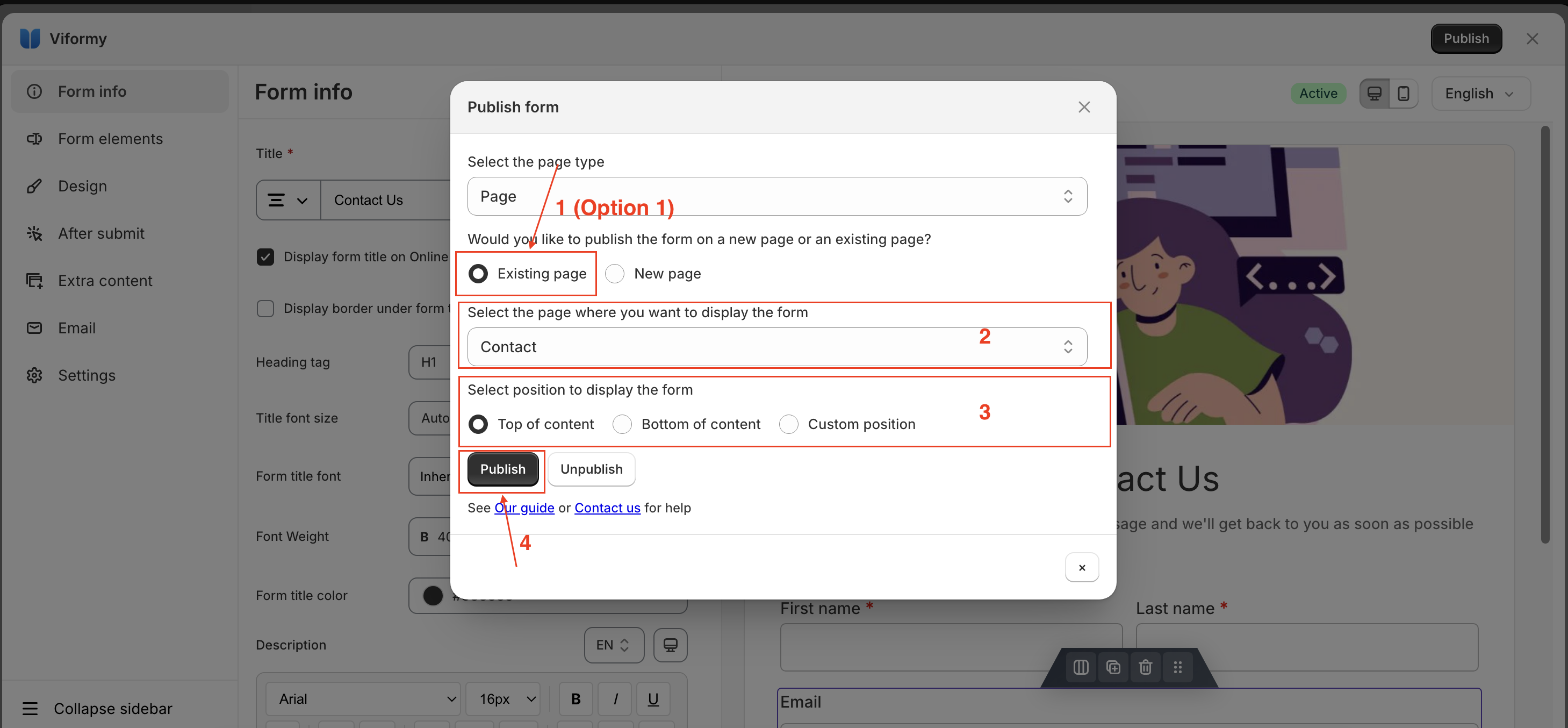
- On the popup, select the page type you want to display the form on.
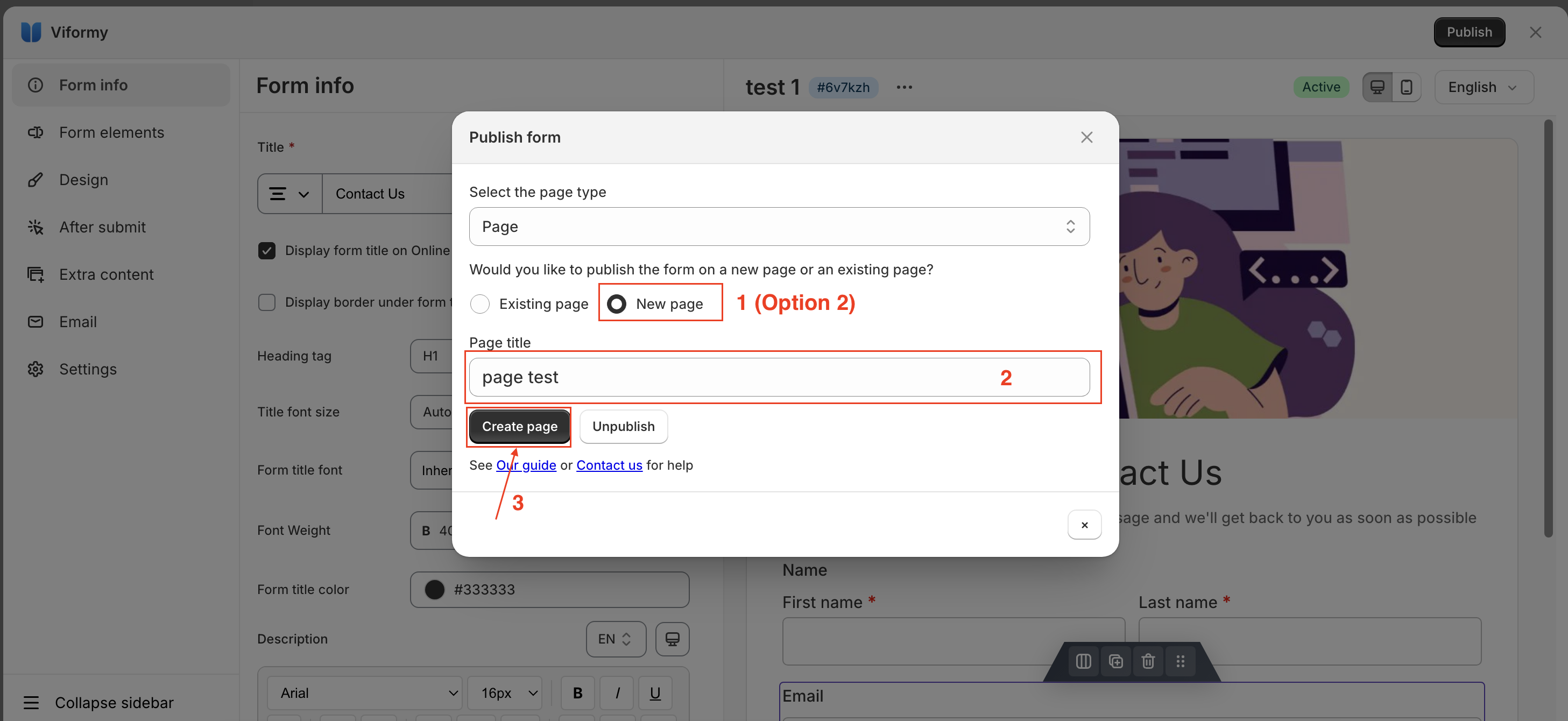
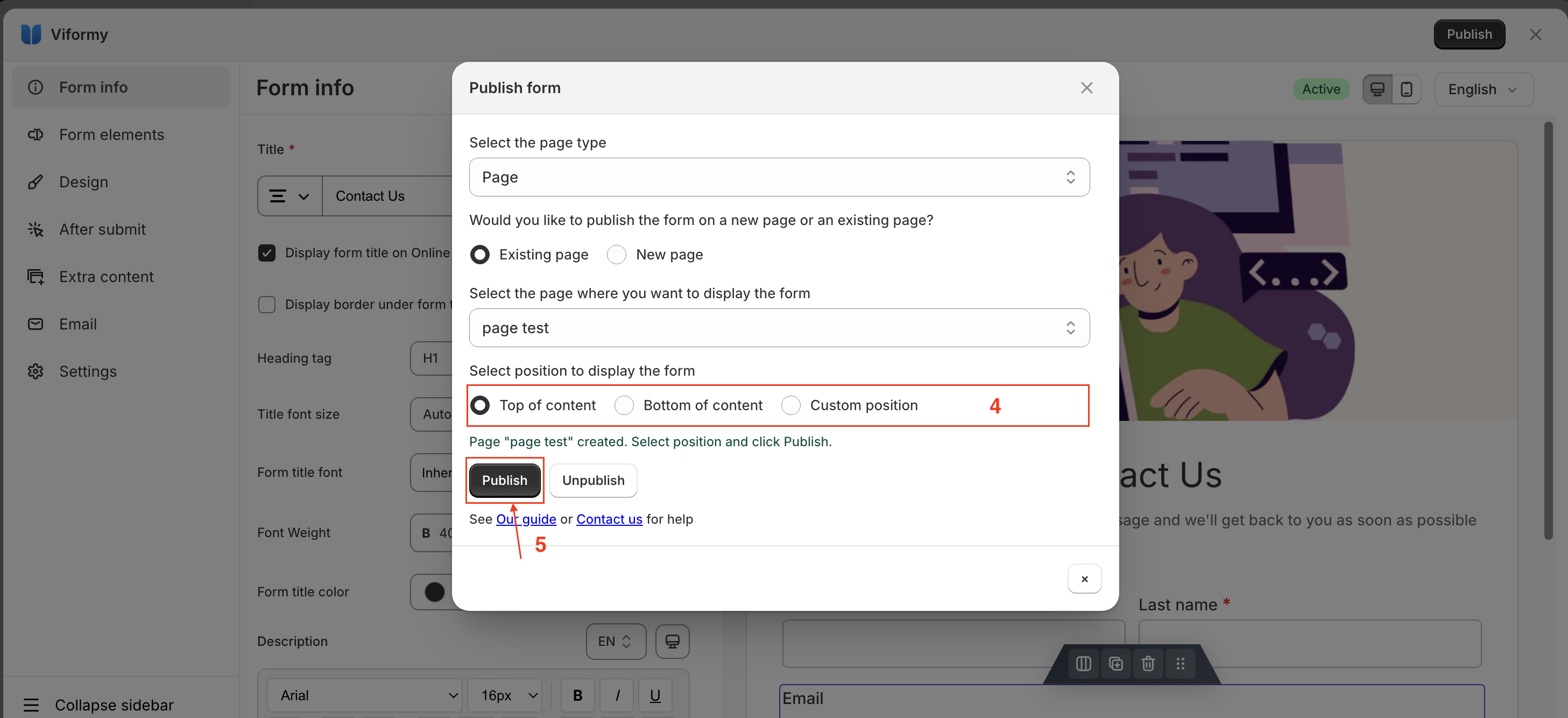
- After selecting the page type, there will be two options: Existing page and New page.
- Follow the steps shown in the image and then click Publish.
Then click View page to see how it looks on the site