logo website
  • Home
  • Features
  • Templates
  • Pricing
  • Docs
  • Install App
Menu
  • Home
  • Features
  • Templates
  • Pricing
  • Docs
  • Install App

Getting Started

1
  • Introduction

Quick Start

1
  • Create a new form

Display & Placement

5
  • Theme integration
  • Get embed form ID of a form
  • Display a form on Shopify front store
  • Display a form on a specific page
  • Add a form with app block

App Integration

2
  • Google reCAPTCHA Integration
  • hCaptcha integration

Mail Notification

4
  • Admin email notification
  • Customer email notification
  • SMTP Setup
  • Mail API setup

Data, Insights & Management

5
  • Check submissions data
  • View Insight of the Form
  • Export submissions data
  • Export and import forms
  • Disable saving submission data for forms
View Categories

Display a form on a specific page

1 min read

This guide helps you place your form on a specific page of your store, not on every page. Very useful when you want the form to appear only on, for example, your “Contact Us” or “Support” page.

Option 1 — Use the App to Assign Form to a Specific Page #

Use this when you want the form to appear on a specific page (e.g. Contact page, Support page) without editing code.

Best for: quick setup, no coding, easy to manage — especially for simple forms on standard pages.

Steps: 

  1. Open the app -> click Forms -> open the form you want to display or create the new one.
  2. Click Publish button at top right.
  3. On the popup, select the page type you want to display the form on.
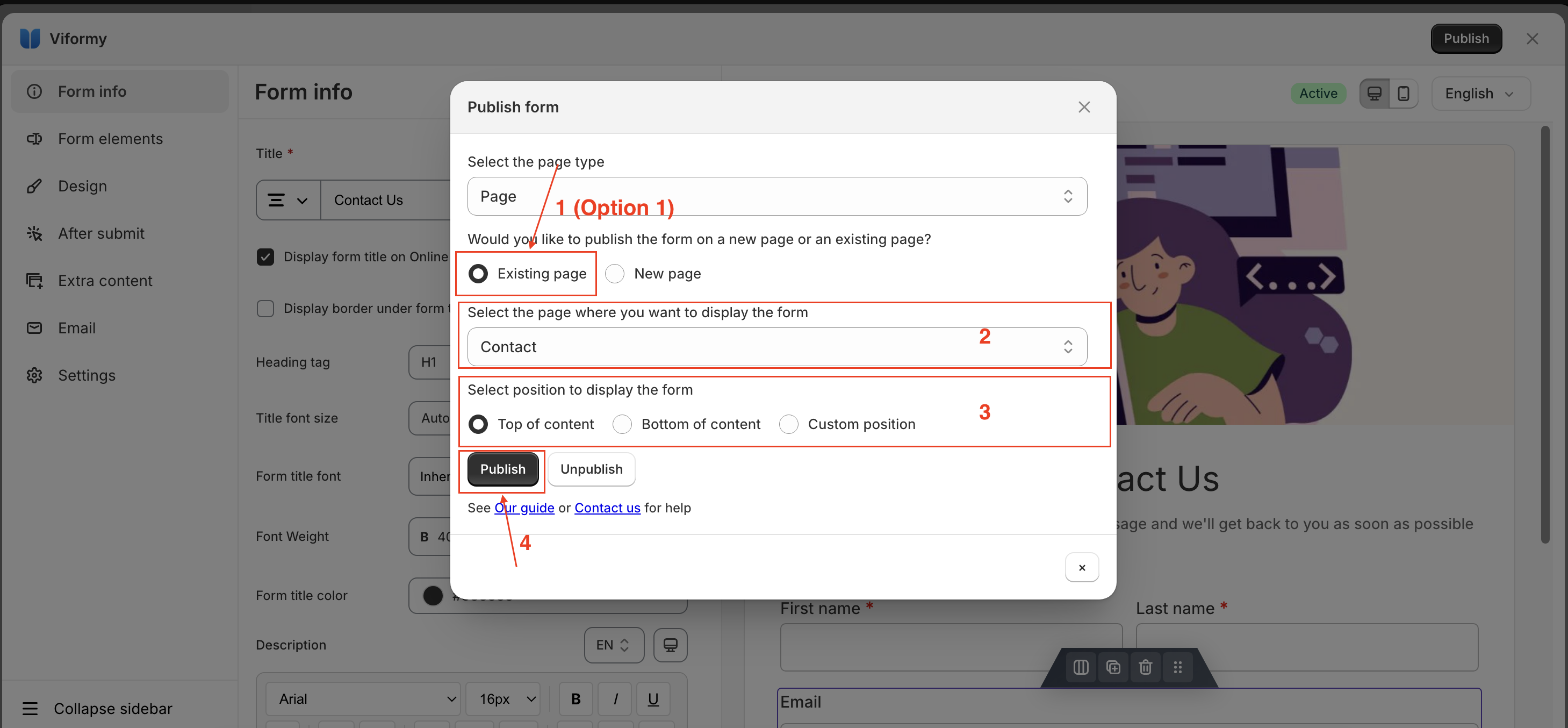
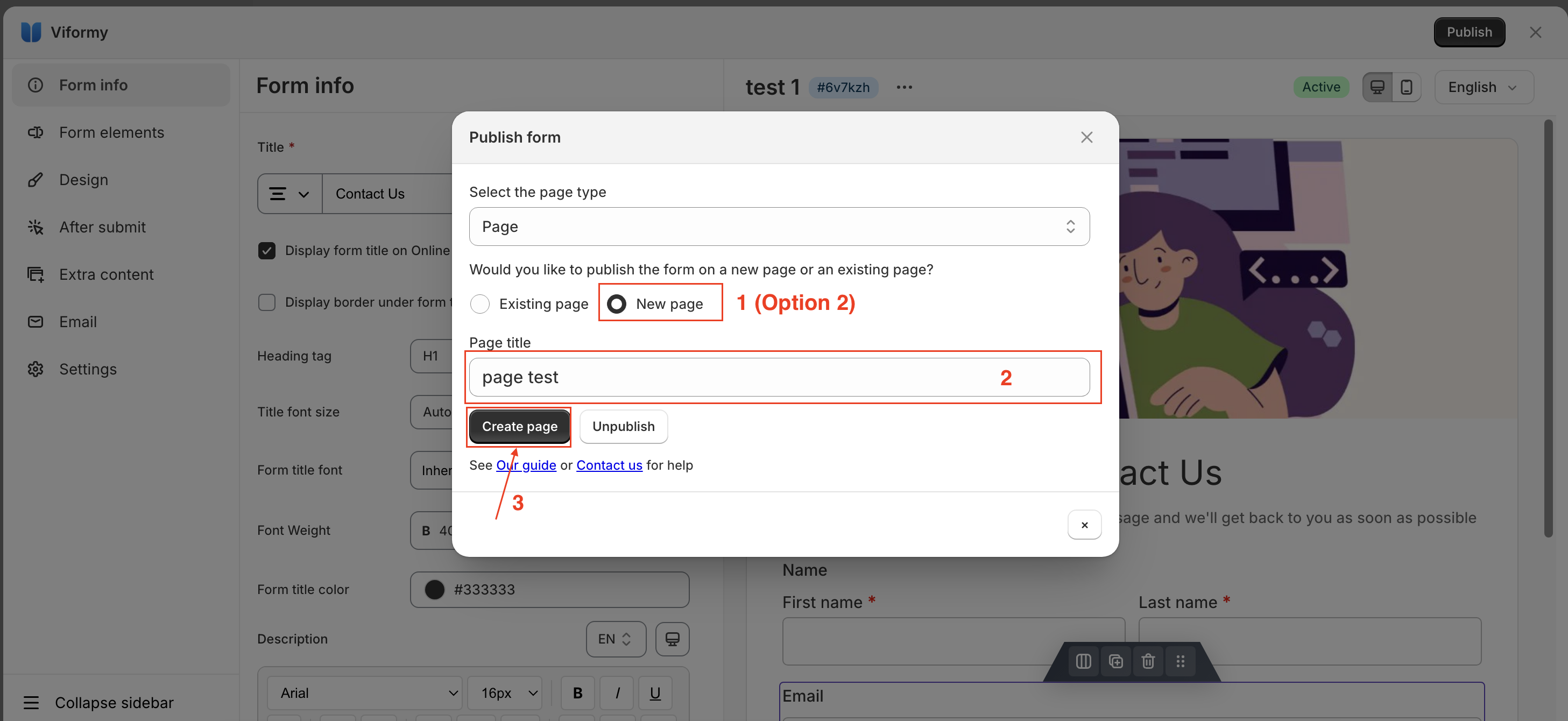
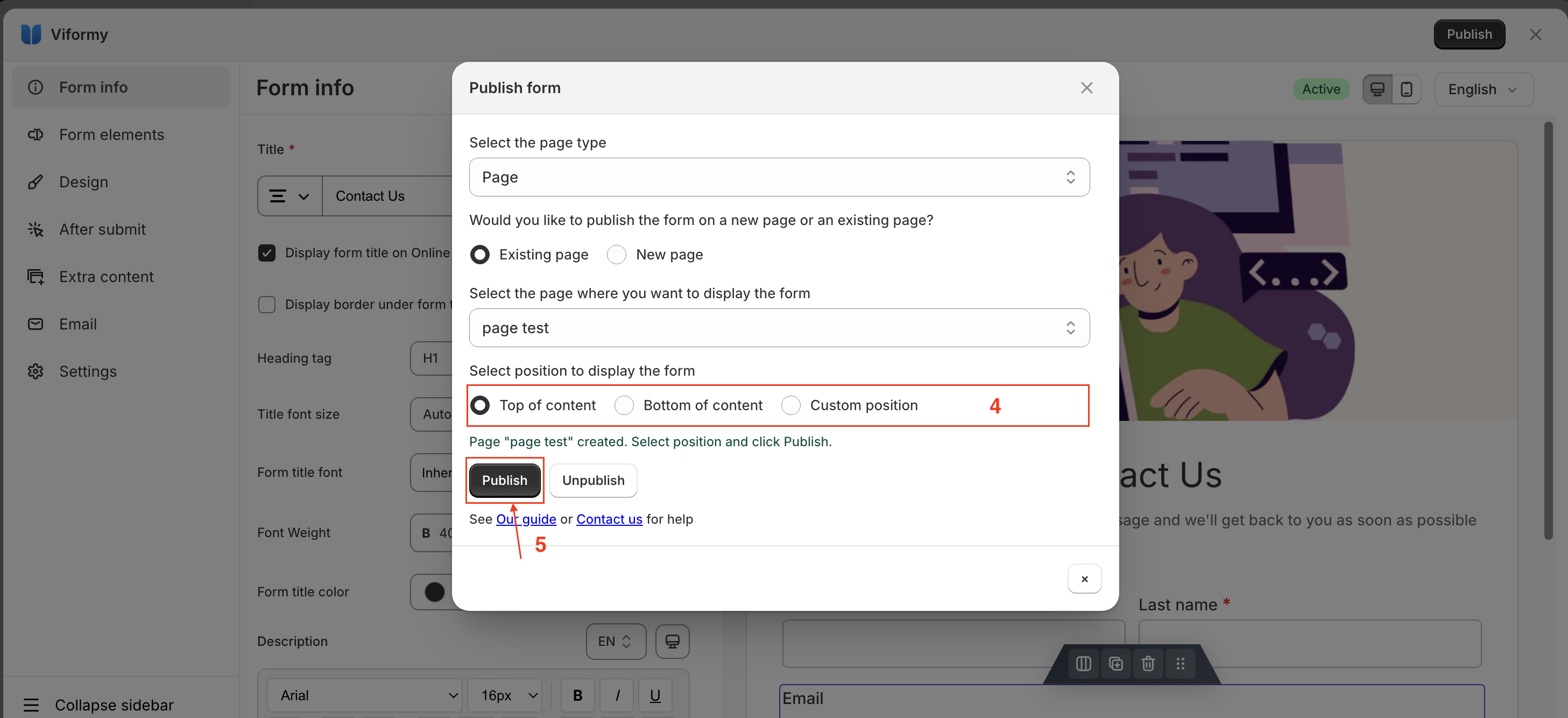
  4. After selecting the page type, there will be two options: Existing page and New page.
  5. Follow the steps shown in the image and then click Publish.Screenshot 2026 05 27 at 01.09.20 Screenshot 2026 05 27 at 01.12.29 Screenshot 2026 05 27 at 01.14.14

Then click View page to see how it looks on the site

Option 2 – Add the Form as an App Block in the Theme Editor #

Use this when you want to insert the form as part of your theme layout — using Shopify’s theme editor. Good for themes with customizable sections or for repeating forms on multiple pages.

Learn more here: https://viformy.com/docs/add-a-form-with-app-block/

Option 3 —Embed the Form Using Shortcode (Coming soon…) #

Updated on May 26, 2026

What are your Feelings

  • Happy
  • Normal
  • Sad

Share This Article :

  • Facebook
  • X
  • LinkedIn
  • Pinterest
Display a form on Shopify front storeAdd a form with app block
ON THIS PAGE
  • Option 1 — Use the App to Assign Form to a Specific Page
  • Option 2 - Add the Form as an App Block in the Theme Editor
  • Option 3 —Embed the Form Using Shortcode (Coming soon...)

The most powerful and flexible form building solution for Shopify merchants.

Product

  • Features
  • Integrations
  • Pricing

Support

  • Documentation
  • Help Center
  • API Reference

Legal

  • Privacy Policy
  • Terms of Service